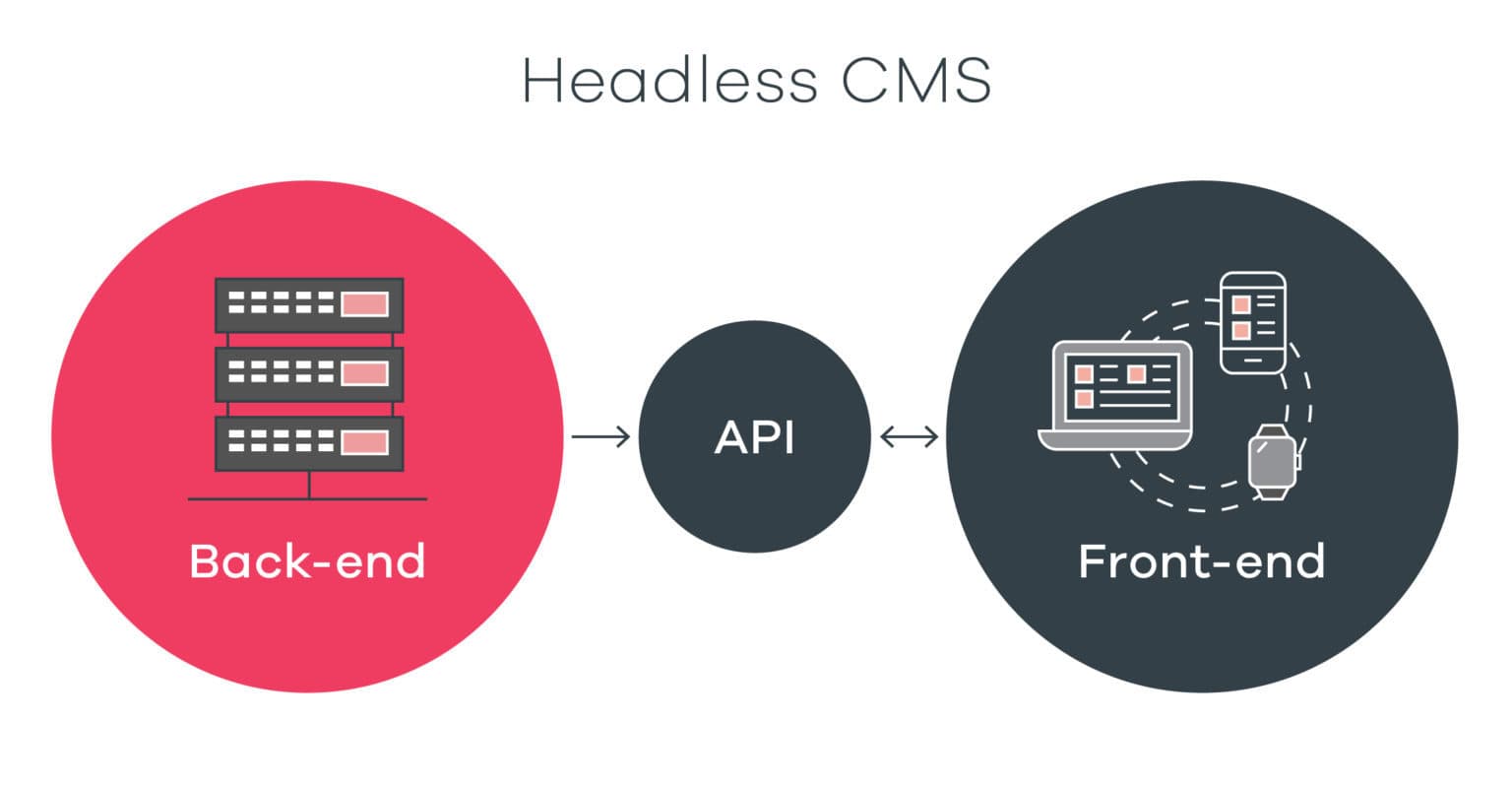
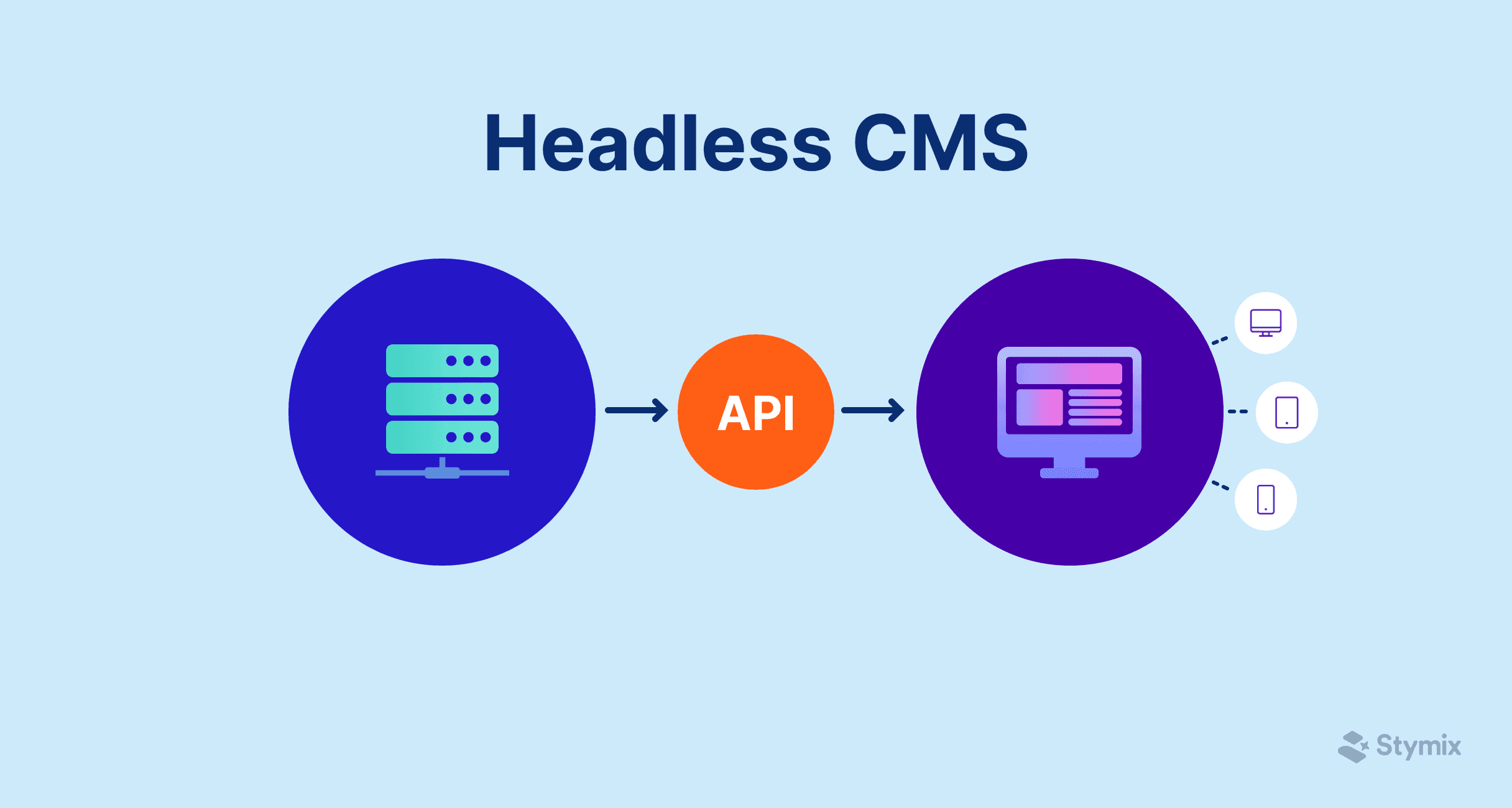
Introduction: Why Your CMS Choice Matters More Than You Think
The decision to adopt a headless CMS represents more than a technology choice—it's a commitment that will shape your team's productivity, your content operations budget, and your organization's ability to deliver digital experiences for years to come. Unlike traditional monolithic systems where switching costs are primarily about content migration, headless CMS decisions ripple through your entire frontend architecture, your API integrations, and your editorial workflows.
Technical managers face a unique challenge here. You need to balance the development team's preferences for modern tooling and clean APIs against realistic assessments of editorial capabilities, budget constraints, and long-term maintenance overhead. A CMS that delights your developers but frustrates your content editors is no victory. Similarly, an enterprise-grade solution that exceeds your actual requirements will drain budget and introduce unnecessary complexity.
This guide provides a structured approach to headless CMS evaluation. Rather than offering a simple ranking of platforms, we'll walk through the frameworks and criteria that will help you make a decision aligned with your specific context. Whether you're building a marketing site, a multi-brand content platform, or a complex application with content requirements, the methodology here will help you navigate the options with confidence.
Understanding Your Requirements
Before evaluating any specific platform, invest time in documenting your actual requirements. This assessment work will save significant time later and help you avoid the common trap of being swayed by impressive features you'll never use.
Project Scope Assessment
Start by mapping the concrete deliverables your CMS needs to support. Consider both immediate needs and realistic near-term expansion. Key questions include:
How many distinct content types do you need to manage? A simple blog might require three to five content types, while a complex e-commerce content operation could involve dozens. This directly affects your need for flexible content modeling capabilities.
What are your traffic expectations? Be honest here—most projects don't need infrastructure designed for millions of requests per hour. Understanding your actual scale requirements helps you avoid over-engineering.
How many frontend applications will consume your content? A single marketing site has different requirements than a multi-channel operation serving web, mobile apps, and digital signage simultaneously.
Team Technical Skills Inventory
Your team's existing expertise should heavily influence your CMS selection. A platform that requires skills outside your team's current capabilities introduces training costs and initial velocity reduction.
Assess your team's proficiency with:
- JavaScript/TypeScript (relevant for platforms like Payload CMS, Strapi)
- GraphQL versus REST API patterns
- Self-hosted infrastructure management (relevant for open-source options)
- Specific frameworks your frontend uses (Next.js, Nuxt, SvelteKit, etc.)
If your team is heavily invested in TypeScript and values type safety, platforms like Payload CMS offer native TypeScript support that can significantly improve developer experience and reduce bugs. Conversely, if your team is more comfortable with visual configuration and minimal code, platforms with stronger GUI-based setup like Storyblok or DatoCMS might be more appropriate.
Content Complexity Analysis
Content complexity is often underestimated during CMS selection. Work with your content team to understand:
Structural complexity: Do you need simple flat content types, or deeply nested and relational structures? Some platforms handle complex relationships more elegantly than others.
Localization requirements: If you're managing content in multiple languages, this becomes a primary evaluation criterion rather than a checkbox feature. Platforms vary significantly in how they approach localization—from field-level translation to complete document variants.
Media requirements: Assess your image and video needs. High-volume media operations benefit from platforms with robust built-in media libraries and automatic optimization, while simpler needs might be adequately served by basic upload capabilities.
Integration Requirements Mapping
Document every system your CMS needs to communicate with. Common integration points include:
- E-commerce platforms (Shopify, commercetools, etc.)
- Search services (Algolia, Elasticsearch)
- Authentication providers
- Analytics platforms
- Marketing automation tools
- Translation management systems
For each integration, determine whether you need real-time synchronization (requiring webhooks or real-time subscriptions) or whether periodic sync is sufficient. This assessment directly affects which platforms can meet your needs without extensive custom development.
Key Evaluation Criteria
With your requirements documented, you can systematically evaluate platforms against criteria that matter for your specific situation.
API Flexibility
The API is your primary interface with a headless CMS, so API design quality directly impacts development velocity.
REST vs GraphQL: This isn't simply a technical preference—it affects how efficiently you can fetch exactly the content you need. GraphQL excels when you need to fetch complex, nested content structures in a single request, reducing over-fetching and under-fetching problems. REST APIs can be simpler to cache and may feel more familiar to teams without GraphQL experience. Many modern platforms offer both; Contentful, Sanity, and Directus all provide GraphQL and REST options, giving you flexibility as your needs evolve.
API documentation quality: During evaluation, actually use the API documentation. Try to accomplish a realistic task using only the docs. Poor documentation is a reliable predictor of frustrating development experience over the long term.
SDK and client library support: Evaluate the official SDKs for your primary languages and frameworks. Well-maintained SDKs with TypeScript definitions significantly reduce integration effort.
Developer Experience and Documentation
Beyond the API itself, assess the broader developer experience:
- How quickly can a developer go from zero to a working prototype?
- Is the local development experience smooth, or does it require constant connection to remote services?
- How active is the community? Check GitHub issues, Discord servers, and forum activity.
- How responsive is the vendor to bug reports and feature requests?
Platforms like Strapi and Payload CMS offer local-first development experiences that many developers prefer, while SaaS platforms like Contentful and Sanity require network connectivity but offer zero infrastructure management.
Content Modeling Capabilities
Content modeling flexibility determines how naturally you can represent your content structures.
Field types: Ensure the platform supports the field types you need—rich text, structured components, media references, relations between content types, and custom field types if needed.
Component/block systems: For flexible page building, evaluate how the platform handles reusable content components. Storyblok's visual component approach differs significantly from Sanity's Portable Text system, and each has trade-offs for developer control versus editor flexibility.
Validation and constraints: Can you enforce content quality through required fields, character limits, regex patterns, and custom validation logic?
Performance and Scalability
Performance characteristics vary significantly across platforms:
Consideration | Self-Hosted (Strapi, Payload, Directus) | SaaS (Contentful, Sanity, Storyblok) |
|---|---|---|
API Response Time | Depends on your infrastructure | Typically optimized, often with global CDN |
Scaling Responsibility | You manage scaling | Vendor handles scaling |
Geographic Distribution | Requires your configuration | Usually built-in |
Cost at Scale | Infrastructure costs | Usage-based pricing (can escalate) |
For most projects, the performance differences between well-implemented options are negligible. Focus your evaluation on whether the platform's architecture can handle your specific traffic patterns without requiring heroic optimization efforts.
Security and Compliance Features
For regulated industries or enterprise deployments, security capabilities become evaluation criteria rather than assumed baselines:
- Authentication options: SSO/SAML support, two-factor authentication, API key management
- Role-based access control: Granularity of permissions, custom role creation
- Audit logging: What actions are logged, and can you export logs to your security tooling?
- Data residency: Where is content stored? Can you specify regions?
- Compliance certifications: SOC 2, GDPR compliance, HIPAA (if relevant)
Localization and Multi-Site Support
If you're managing content across languages or multiple brands, localization support becomes critical:
Localization approach: Some platforms treat localized content as field-level variants (each field can have multiple language versions), while others use document-level localization (separate documents for each language). Each approach has trade-offs for editorial workflow and data querying.
Multi-site/multi-tenant support: If you're managing multiple distinct sites or brands, evaluate how the platform handles content separation, shared content libraries, and cross-site content references.
Media Asset Management
Media handling ranges from basic file storage to sophisticated digital asset management:
- Automatic optimization: Does the platform automatically generate responsive image sizes and modern formats (WebP, AVIF)?
- Focal point cropping: Can editors specify important regions for smart cropping across different aspect ratios?
- Video support: If you work with video, evaluate transcoding capabilities and streaming support.
- Storage and bandwidth costs: Understand how media storage and delivery are priced, as this can become significant at scale.
Workflow and Collaboration Features
Don't underestimate the importance of editorial workflow features. Your content team will live in these interfaces daily:
- Draft and publish states: How does the platform handle unpublished content? Can you preview drafts in your frontend?
- Scheduling: Can content be scheduled for future publication?
- Version history: How far back does version history extend? Can you compare versions and restore previous states?
- Collaboration features: Comments, assignments, approval workflows
- Real-time collaboration: Can multiple editors work simultaneously without conflicts?
Extensibility
Evaluate how the platform can be extended when built-in capabilities fall short:
- Webhooks: For triggering external processes on content changes
- Custom fields: Creating specialized input types for your specific needs
- Plugins/extensions: The ecosystem of available extensions and the ease of building custom ones
- Custom app development: Some platforms allow building custom applications within the CMS interface
Open Source vs SaaS: Understanding the Trade-offs
The choice between self-hosted open-source solutions and cloud-native SaaS platforms is one of the most consequential decisions in your CMS selection.
Self-Hosted Considerations
Platforms like Strapi, Payload CMS, Directus, and Ghost can be deployed on your own infrastructure.
Advantages:
- Complete control over your data and infrastructure
- No per-seat or usage-based pricing (though you pay infrastructure costs)
- Full customization through source code access
- No vendor dependency for core functionality
Challenges:
- You're responsible for uptime, security patches, and scaling
- Requires DevOps expertise or investment
- Support is community-based or requires paid enterprise tiers
- Updates require your active management
Self-hosting works well when you have existing infrastructure expertise, strict data sovereignty requirements, or cost structures that favor infrastructure investment over subscription fees.
Cloud-Native SaaS Options
Platforms like Contentful, Sanity, DatoCMS, and Storyblok are managed services.
Advantages:
- Zero infrastructure management
- Built-in global CDN and availability
- Automatic updates and security patches
- Professional support included (depending on tier)
Challenges:
- Ongoing subscription costs that scale with usage
- Data stored on vendor infrastructure
- Less customization flexibility
- Potential vendor lock-in
SaaS platforms make sense when you want to minimize operational overhead, when your team lacks infrastructure expertise, or when the subscription cost is acceptable relative to the value delivered.
Hybrid Approaches
Some platforms offer middle-ground options. Sanity, for example, is SaaS for its content lake but allows self-hosted studios. Some self-hosted platforms offer managed cloud versions (Strapi Cloud, Directus Cloud) that reduce operational burden while maintaining platform familiarity.
Total Cost of Ownership Framework
Direct subscription or hosting costs represent only part of your total investment. A realistic TCO calculation should include:
Cost Category | Components to Calculate |
|---|---|
Direct Platform Costs | Subscription fees, hosting infrastructure, media storage/bandwidth |
Implementation Costs | Initial setup, content modeling, frontend integration, content migration |
Ongoing Development | Customizations, updates, bug fixes, API integration maintenance |
Operations | Infrastructure management (self-hosted), monitoring, security |
Team Costs | Training, editorial workflow adaptation, support ticket handling |
For a realistic comparison, calculate these costs over a three-year horizon. SaaS platforms may appear more expensive initially but can prove cost-effective when you factor in avoided infrastructure management. Conversely, self-hosted solutions may seem cheaper until you account for DevOps time and expertise requirements.
Visit our pricing comparison page for current pricing information across major platforms.
Decision Framework
With requirements documented and criteria understood, you need a structured approach to making the final decision.
Scoring Matrix Template
Create a weighted scoring matrix tailored to your priorities:
Criterion | Weight (1-10) | Platform A | Platform B | Platform C |
|---|---|---|---|---|
API quality | 8 | |||
Content modeling flexibility | 7 | |||
Developer experience | 8 | |||
Editorial UX | 9 | |||
Localization support | 6 | |||
Performance | 7 | |||
Security/compliance | 9 | |||
TCO (3-year) | 8 | |||
Integration ecosystem | 5 | |||
Vendor stability | 7 |
Score each platform from 1-10 on each criterion, then calculate weighted totals. This exercise forces explicit prioritization and provides documentation for stakeholder discussions.
Must-Have vs Nice-to-Have Classification
Be disciplined about distinguishing requirements from preferences:
Must-haves are non-negotiable. If a platform lacks a must-have, it's eliminated regardless of other strengths. Examples might include: GraphQL API, SSO support, or specific compliance certifications.
Nice-to-haves influence your decision when comparing platforms that meet all must-haves. These might include: visual editing, specific plugin availability, or real-time collaboration features.
Red Flags to Watch For
During evaluation, certain warning signs suggest potential problems:
- Stagnant development: Check commit frequency and release cadence. Platforms with infrequent updates may be losing momentum.
- Documentation gaps: Significant undocumented features or outdated documentation suggests resource constraints.
- Unresolved critical issues: Review GitHub issues (for open source) or community forums for patterns of long-standing bugs.
- Unclear pricing: Opaque pricing or recent significant price increases warrant caution.
- Acquisition or funding uncertainty: Research the vendor's financial stability and recent news.
Proof of Concept Checklist
Before committing, run a meaningful proof of concept. Your POC should validate:
Allocate sufficient time for the POC—rushing this phase often leads to discovering critical issues after commitment.
Quick Decision Checklist
Before finalizing your CMS decision, confirm:
Common Mistakes to Avoid
Learning from others' mistakes can save significant pain. These patterns appear repeatedly in headless CMS projects that encounter difficulties.
Underestimating Content Migration Complexity
Content migration from legacy systems consistently takes longer than expected. Rich text content from traditional CMS platforms often contains embedded styling, legacy shortcodes, or implicit structure that doesn't map cleanly to your new content model. Plan for significant data transformation work and content review during migration.
Mitigation: Build a migration prototype early. Transform a representative sample of your most complex content and have editors review the results before committing to a platform.
Ignoring Editorial Team Needs
Developers typically drive CMS evaluation, but content editors use the platform daily. A CMS that developers love but editors find frustrating creates ongoing organizational friction.
Mitigation: Include content editors in the evaluation process from the beginning. Have them complete realistic content tasks during POC, not just a guided demo.
Over-Engineering for Future Scale
It's tempting to select a platform based on requirements you might have someday rather than requirements you have now. This leads to unnecessary complexity and cost.
Mitigation: Evaluate based on current requirements plus realistic one-year growth. Avoid paying for enterprise features you won't use for years, if ever. Many platforms offer upgrade paths when you actually need more capability.
Vendor Lock-in Risks
Every headless CMS creates some degree of lock-in. Your content model, custom integrations, and editorial workflows all become platform-specific investments. The question isn't whether lock-in exists, but whether it's acceptable.
Mitigation: Understand what portability means for each platform. Can you export all content in a usable format? How platform-specific are your integrations? For high lock-in-risk situations, consider platforms with stronger data portability or open-source options where you control the underlying data.
Making the Final Decision
Stakeholder Alignment Process
CMS decisions typically involve multiple stakeholders with different priorities. Create explicit alignment through:
Shared evaluation criteria: Ensure all stakeholders agree on what factors matter and their relative importance before evaluating specific platforms.
Transparent trade-off discussions: When requirements conflict (which they will), discuss trade-offs explicitly rather than hoping everyone agrees.
Decision documentation: Record the reasoning behind your selection. This documentation proves valuable when questions arise later and helps onboard future team members.
POC Evaluation Criteria
Structure your POC evaluation to generate clear signals:
Define specific success criteria before the POC begins. Rather than vague assessments like "felt good to use," establish measurable criteria: "Editor can create and publish a localized product page within 15 minutes" or "GraphQL query for homepage content returns in under 200ms."
Contract Negotiation Considerations (for SaaS)
If selecting a SaaS platform, negotiate terms that protect your interests:
- Clarify pricing escalation: Understand how pricing changes with usage growth
- Data export rights: Ensure contractual rights to export your content in a usable format
- Service level commitments: For business-critical deployments, negotiate appropriate SLAs
- Price lock provisions: Multi-year commitments should include price protection
Migration Planning Considerations
Plan your migration approach before finalizing the decision. Key considerations:
Phased vs big-bang migration: Can you migrate incrementally, or does your architecture require switching everything at once?
Content freeze requirements: Determine whether you need to freeze content during migration or if you can sync changes during the transition.
Redirect and URL strategy: If URLs are changing, plan your redirect strategy to preserve SEO value.
Rollback plan: Understand what happens if critical issues emerge post-migration. Can you revert if necessary?
Key Takeaways
Selecting a headless CMS requires balancing technical capabilities against practical constraints. The right choice depends on your specific context—there is no universally "best" platform.
Start with requirements, not features: Document what you actually need before being influenced by impressive demos of capabilities you may never use.
Include all stakeholders: Developers, content editors, and business stakeholders all have valid perspectives that should influence the decision.
Calculate realistic total cost: Subscription pricing tells only part of the story. Factor in implementation, customization, and operational costs over a multi-year horizon.
Validate with a proper POC: Invest time in a meaningful proof of concept that tests your most challenging requirements, not just happy-path scenarios.
Accept that trade-offs exist: No platform excels at everything. Make conscious decisions about which trade-offs are acceptable for your situation.
Plan for the long term, but don't over-engineer: Select a platform that meets your needs for the next year or two with a reasonable growth path beyond that.
Conclusion: Your Path Forward
Choosing a headless CMS is a significant decision, but it doesn't need to be overwhelming. By systematically assessing your requirements, evaluating platforms against criteria that matter for your context, and validating with a meaningful proof of concept, you can make an informed choice with confidence.
If you want a faster path to a shortlist, our CMS recommendation quiz asks targeted questions about your requirements and suggests platforms that match your specific situation. For detailed side-by-side feature comparison, visit our comparison tool where you can evaluate platforms across all the criteria discussed in this guide.
The headless CMS landscape continues to evolve, with platforms regularly adding capabilities and new entrants appearing. Whatever your timeline, ground your decision in your actual requirements, involve the right stakeholders, and validate before committing. That approach serves you well regardless of which platform you ultimately select.
Share this article