
Google Drive CMS
CMS using Google Sheets and Docs
Overview
Google Drive CMS is an open-source content management system that uses
Google Drive as its content storage layer. Content is managed in Google
Docs and retrieved via the Google Drive API for use in web applications.
It is designed for Jamstack projects that want a simple editorial workflow
without a traditional database. Developers can fetch structured content and
render it in static or server-rendered frontends. The project is maintained
as an open-source repository and is intended for lightweight use cases and
custom integrations.
MIT
Best for:
Features
Pricing
Compatible Technologies
Technical Features
Community
400
GitHub Stars
2026-02-11
Last Update
Enterprise Features
Security & Compliance
Find Google Drive CMS Experts
Looking for professional help with your Google Drive CMS project? Here are top certified agencies and developers.
Top Agencies

Alpina Tech
#1 RecommendedCraft custom, responsive websites using expert code and stunning design. Build your site with a flexible CMS and premium hosting to boost your digital presence.

FocusReactive
#1 RecommendedWeb development agency with deep expertise in the headless CMS market.
Successive Digital
#1 RecommendedSuccessive Digital is a modern technology consulting partner built for enterprises that want to scale with confidence.

GRANITE
We are a global digital transformation partner with over 160 industry experts, delivering comprehensive digital solutions across experience design, technology engineering, digital marketing, brand innovation, and video production.

10x Media
10x Media is a boutique web development agency located in Bavaria (Germany) with additional hubs in Sofia (Bulgaria) and Santiago (Chile). We’re a core team of 8 people, and we don’t just code: we combine strategy, design, development, and project management, covering everything needed to bring high-impact digital solutions to life.
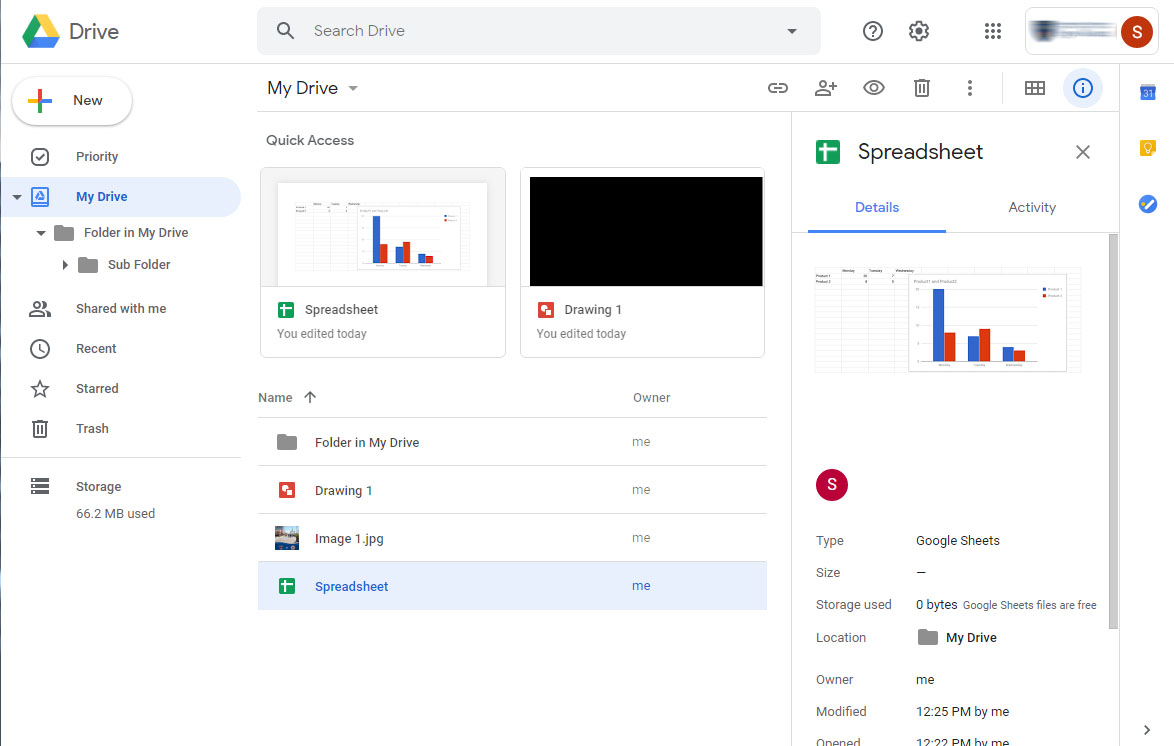
Google Drive CMS is an unconventional approach to content management that transforms Google Drive — specifically Google Sheets and Docs — into a lightweight backend for websites and applications. By leveraging familiar tools that most teams already use daily, it eliminates the need for a dedicated headless CMS admin panel and allows non-technical editors to manage content directly through the Google Workspace interface.
How It Works as a Headless CMS
The concept relies on Google's Sheets API and Docs API to pull structured content into frontend applications. Developers set up a spreadsheet or document as the content source, configure API access through Google Cloud Console, and fetch data via REST endpoints. This integration pattern works well with static site generators and frameworks like Next.js, Gatsby, or Astro, where content is consumed at build time or through client-side requests. Several open-source libraries and community tools simplify this process by abstracting authentication and data formatting layers.
Limitations and Ideal Scenarios
Google Drive CMS is not a replacement for full-featured content management platforms — it lacks content modeling, role-based permissions, and media optimization. However, it serves as a practical solution for developers building simple landing pages, event listings, or internal dashboards where the content structure is flat and the editorial team prefers working within Google Sheets over learning a new CMS interface.