

Front Matter
CMS in Visual Studio Code
Overview
Front Matter gives you the power and control of a full-blown CMS straight from within Visual Studio Code. Edit content anywhere.
MIT
Best for:
Features
Pricing
Compatible Technologies
Technical Features
Community
2400
GitHub Stars
5750,8
NPM Downloads
2026-02-13
Last Update
Enterprise Features
Security & Compliance
Find Front Matter Experts
Looking for professional help with your Front Matter project? Here are top certified agencies and developers.
Top Agencies

Alpina Tech
#1 RecommendedCraft custom, responsive websites using expert code and stunning design. Build your site with a flexible CMS and premium hosting to boost your digital presence.

FocusReactive
#1 RecommendedWeb development agency with deep expertise in the headless CMS market.

GRANITE
We are a global digital transformation partner with over 160 industry experts, delivering comprehensive digital solutions across experience design, technology engineering, digital marketing, brand innovation, and video production.
Successive Digital
#1 RecommendedSuccessive Digital is a modern technology consulting partner built for enterprises that want to scale with confidence.

Alloy
Alloy is a marketing and transformation partner for the age of intelligence full of creative thinkers and problem solvers whose results-oriented work extends throughout the Americas, Europe and the Middle East.
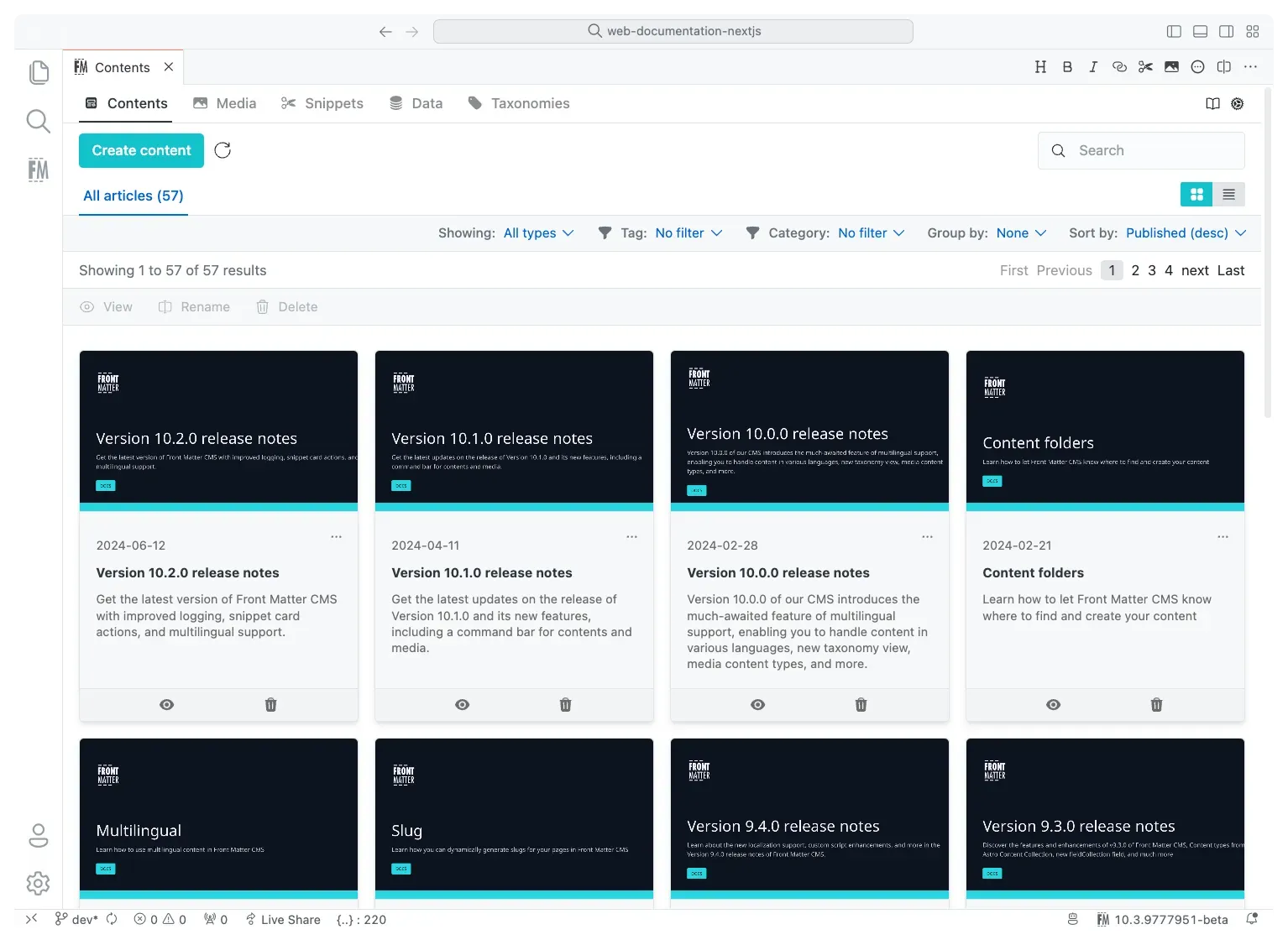
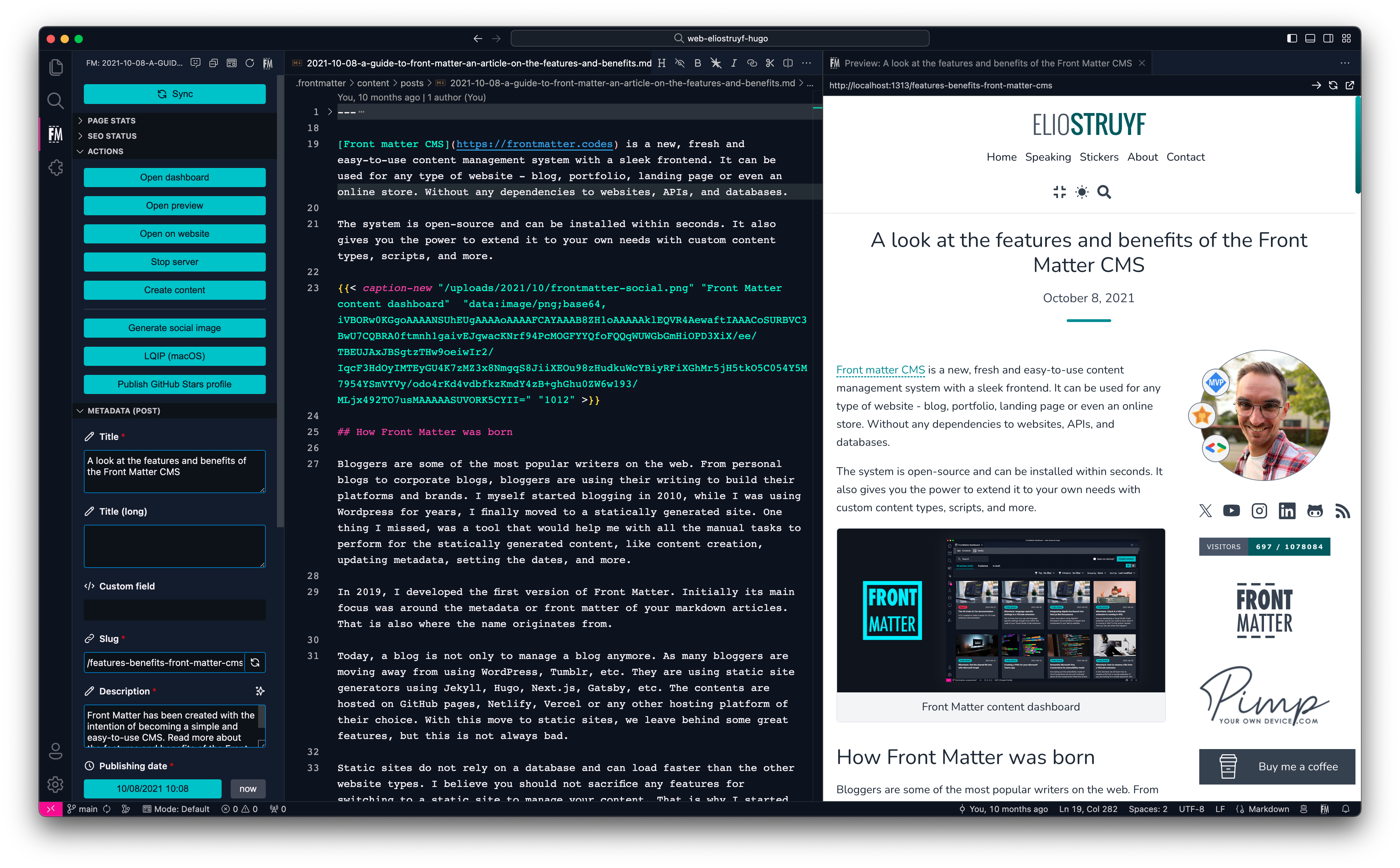
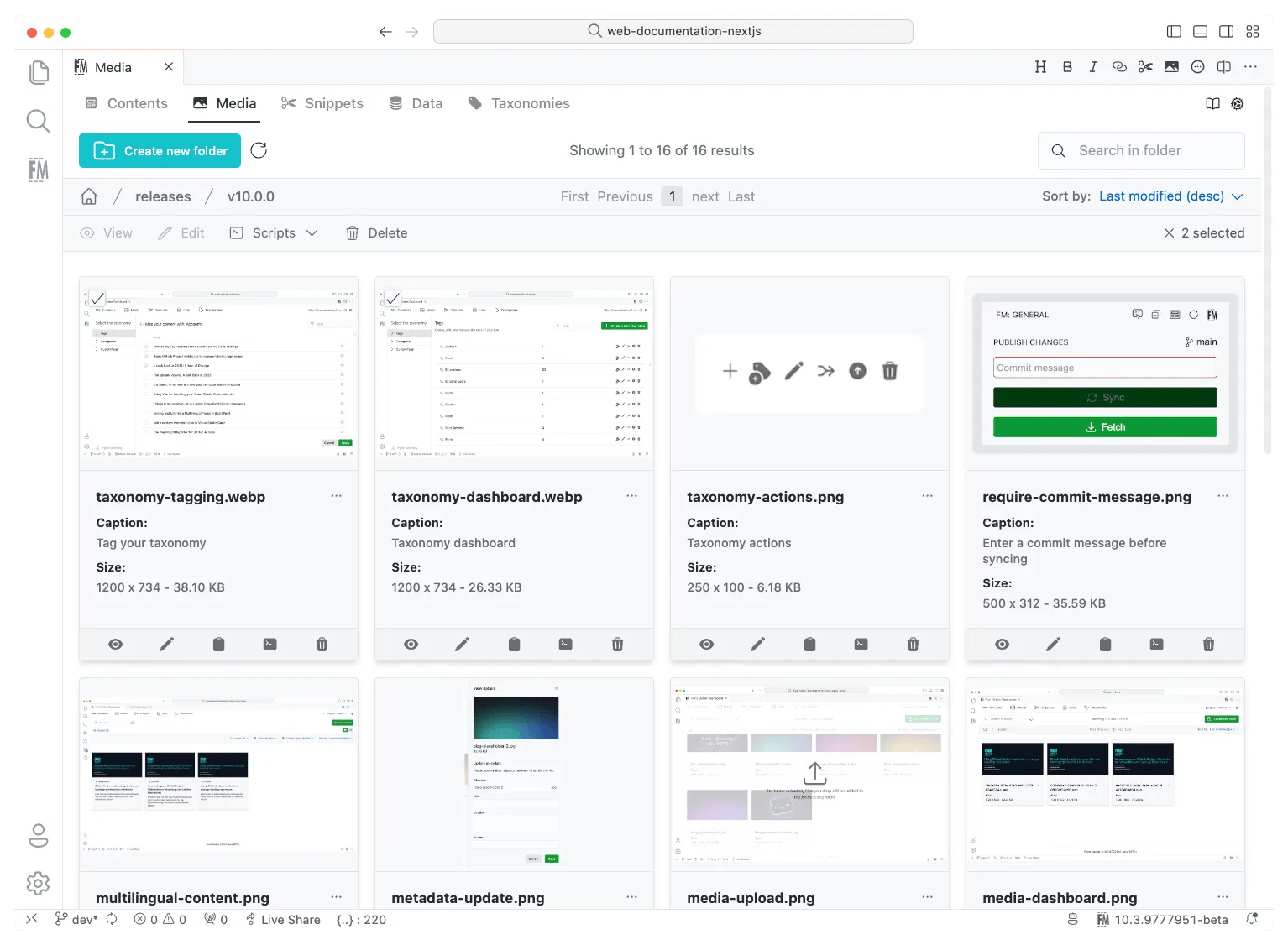
Front Matter is a free, open-source headless CMS that runs entirely as a Visual Studio Code extension. Developed by Elio Struyf, it provides content management capabilities directly inside the code editor, allowing developers to create, edit, and organize Markdown-based content for static site generators without relying on external services, databases, or APIs.
Key Features of Front Matter
- Built-in page dashboard with search, filtering, and content type management within VS Code
- Customizable content types with YAML front matter metadata editing via a structured sidebar panel
- Media dashboard for browsing, uploading, and inserting images and assets into content
- SEO analysis tools for titles, descriptions, keywords, and slug optimization
- Custom scripting and actions support to automate tasks like preview image generation or external integrations
- Compatible with Hugo, Astro, Jekyll, Next.js, Gatsby, Docusaurus, Hexo, and other static site generators
Who Should Use Front Matter
Front Matter is a natural fit for developers and technical writers who already work in VS Code and manage Markdown-based blogs, documentation sites, or static websites. It suits solo developers and small teams that prefer a local-first, offline-capable workflow with Git-based version control and need structured content management without the overhead of a hosted CMS platform.